Vibe Coder · Unit 13: Login and Data With Supabase · Lesson 8 of 8
An admin panel in Retool
Your product has a second set of users: you and your team. Build an internal admin panel on top of your database with Retool instead of adding admin screens to the product.
Read the short notes and pictures.Do everything inside a blue frame.
The second product
The day you have real users, you become support. Someone cannot sign in, an invoice has the wrong amount, a payment needs refunding. Doing this by editing rows in the database dashboard works twice and then causes an accident. You need a small, safe tool made for the job.
Why not build it into the app
Admin screens inside your product share its code and its login. One mistake in an access check and a customer sees them. They also cost product-building time. Internal tools are a separate category with their own builders, and Retool is one of the best known. Its platform covers apps, workflows and agents on top of what it calls resources: connections to your databases and APIs.
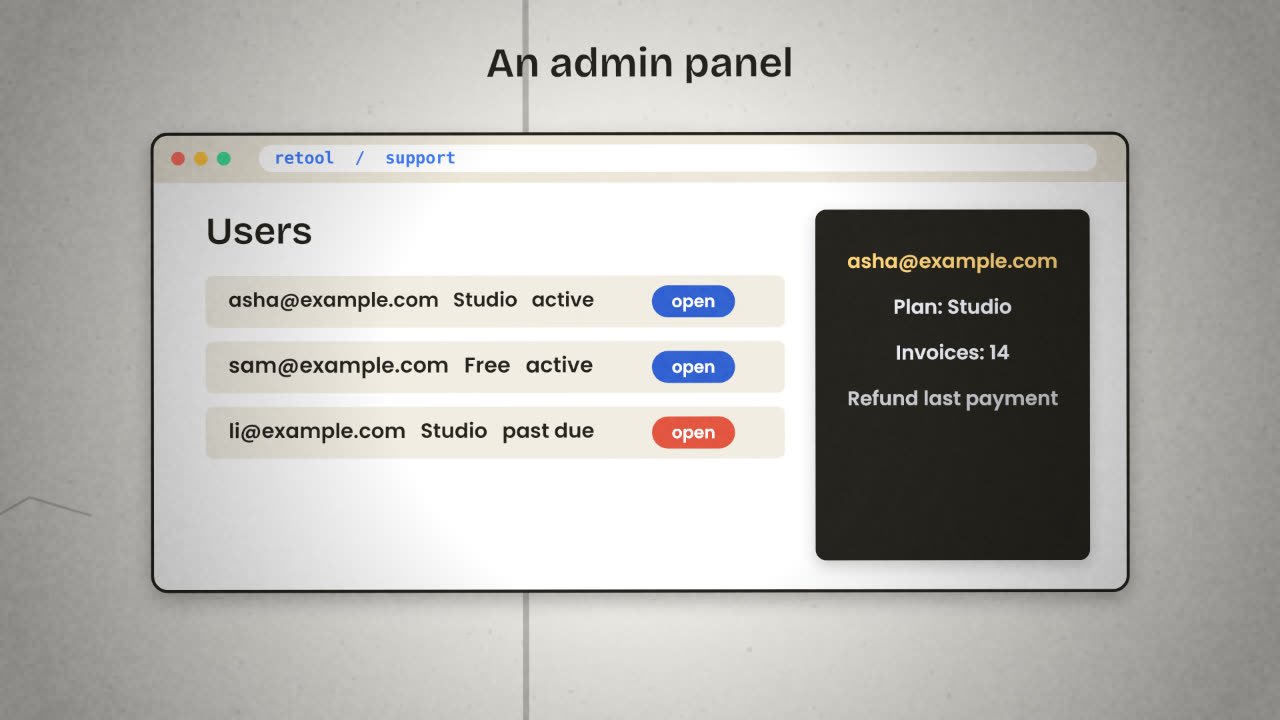
How a Retool app is made
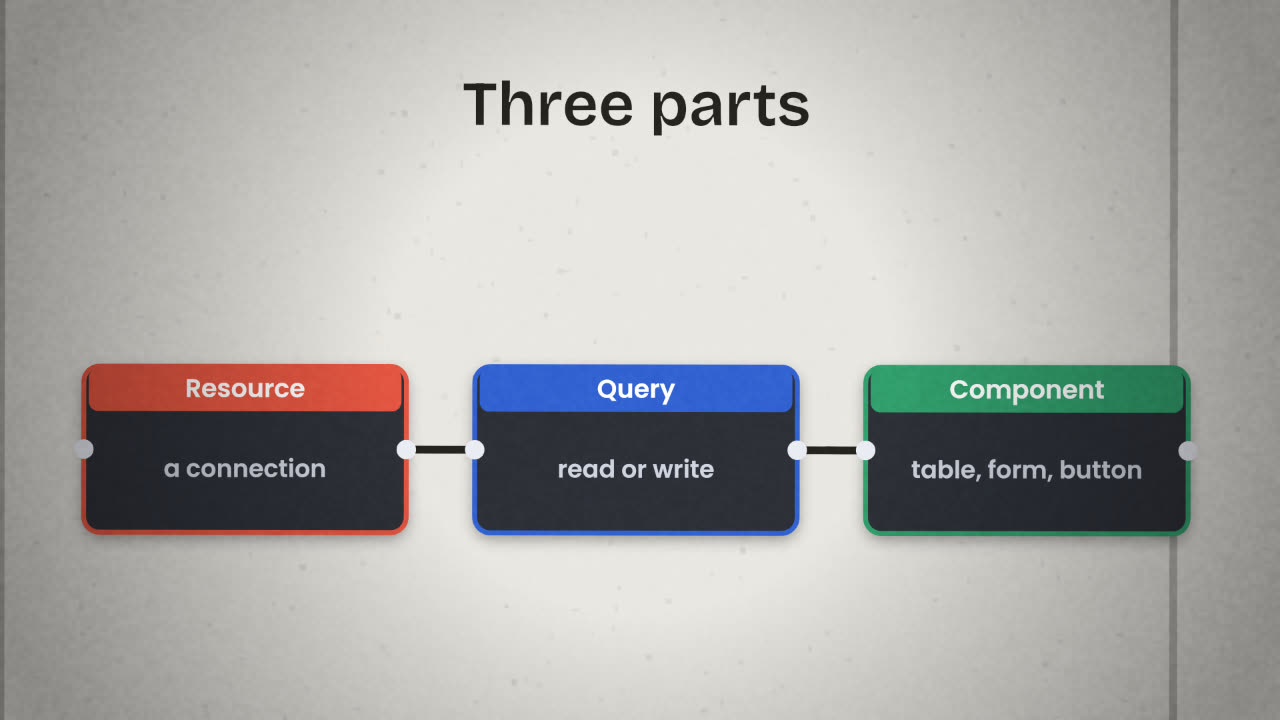
Resource
A saved connection: your Supabase Postgres database, the Stripe API.
Query
A read or write through a resource: "find user by email", "update invoice status".
Component
A table, a form, a button. It shows a query’s result or runs one.
Permissions
Who may open the app and who may run which actions.
Connect your database as a resource
Use a database user made for this tool, not your main key.
Start with a read-only screen
A search box, a table of users, a detail panel.
Add one write action
For the fix you make most often, with a confirmation step.
Add a refund button only if you need it
Through the payment provider’s API, restricted to named people.
Safety
Risky
Connect with the database owner key.
Everyone on the team can edit anything.
A delete button with no confirmation.
No record of who changed what.
Safe
A read-only user for reading; a limited
user for the few writes.
Write actions only for named people.
"Type the email to confirm" before deletes.
Every action writes a line to an audit table.
Alternatives
Airtable interfaces, if the data is in Airtable. Or a private page in your own app, if you must, behind a separate admin check.
Workflows
Slow or risky actions, such as bulk changes, belong in an n8n workflow with approval.
List the three support actions you expect to do most in your product’s first month, and mark each as read or write.
Build a small admin panel
In Retool, connect your database with a limited user and build one screen: search for a user, see their records, and perform one safe fix with a confirmation. Record every write in an audit table.
Done when
Write the support actions and who may do them into your README.
Keep these
- Support needs its own tool, separate from the product.
- Retool: resources, queries and components.
- Limit who can use it, confirm risky actions, and log every change.