Vibe Coder · Unit 17: RAG and Your Data · Lesson 3 of 6
File search: hosted RAG
The shortest way to put RAG inside your product: upload files to a vector store and let a hosted file search tool do the chunking, embedding and retrieval.
Read the short notes and pictures.Do everything inside a blue frame.
Rent the pipeline
The two phases of RAG, indexing and answering, are the same in almost every product. Model providers now offer them as a tool. OpenAI calls its version file search. It is the fastest way to give your product’s AI feature knowledge of your documents.
How it works
Vector store
A container at the provider that holds your files after they have been chunked and embedded.
File search tool
A hosted tool the model can use during a response. It searches your vector store by meaning and by keyword.
Citations
The response marks which file each part of the answer came from.
Upload your files
Through the provider’s dashboard or API.
Add them to a vector store
And wait until indexing is completed.
Enable the tool in your model call
Naming the vector store to search.
Show the citations
In your app, beside the answer.
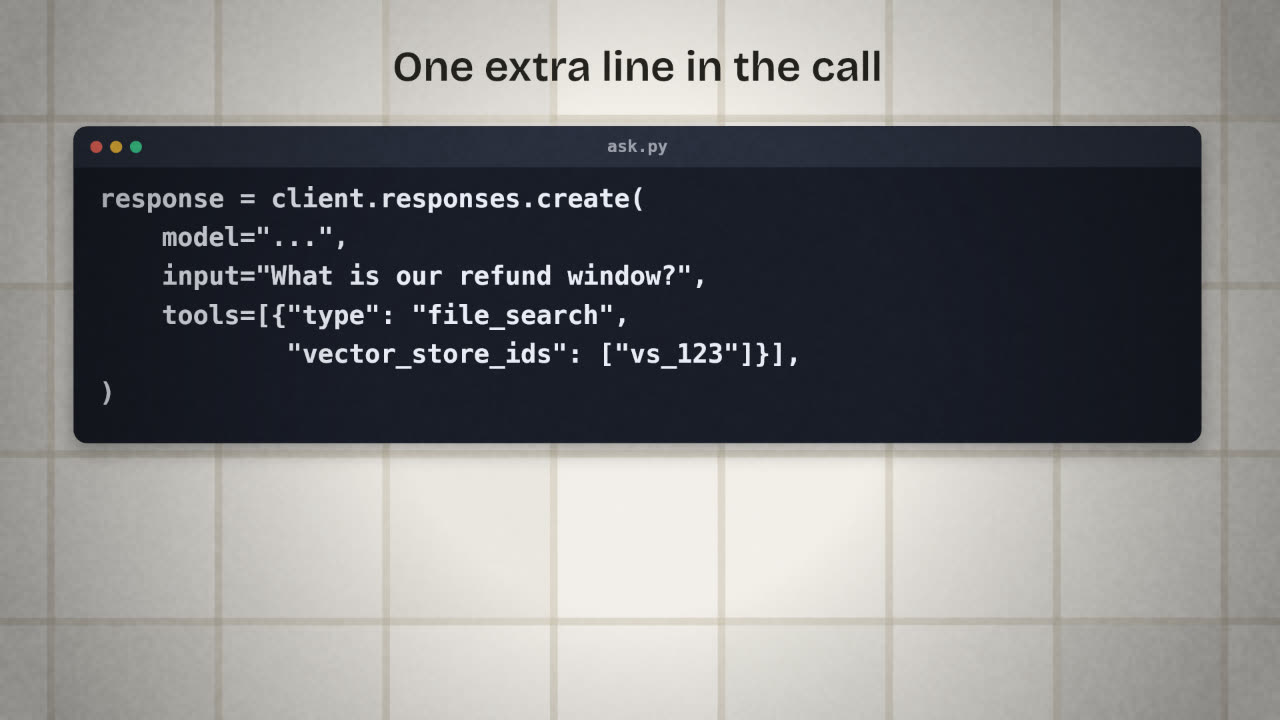
Without your documents
response = client.responses.create(
    model="...",
    input="What is our refund window?",
)
With file search
response = client.responses.create(
    model="...",
    input="What is our refund window?",
    tools=[{
        "type": "file_search",
        "vector_store_ids": ["<vector_store_id>"],
    }],
)Using it from the low-code path
Create the vector store in the dashboard
Upload your cleaned source folder.
Call it from an n8n webhook workflow
Webhook in, model call with file search, Respond to Webhook out.
Call that webhook from your app
A "help" box sends the question and shows the answer and its sources.
Re-upload when documents change
Or build a small workflow that does it.
The trade
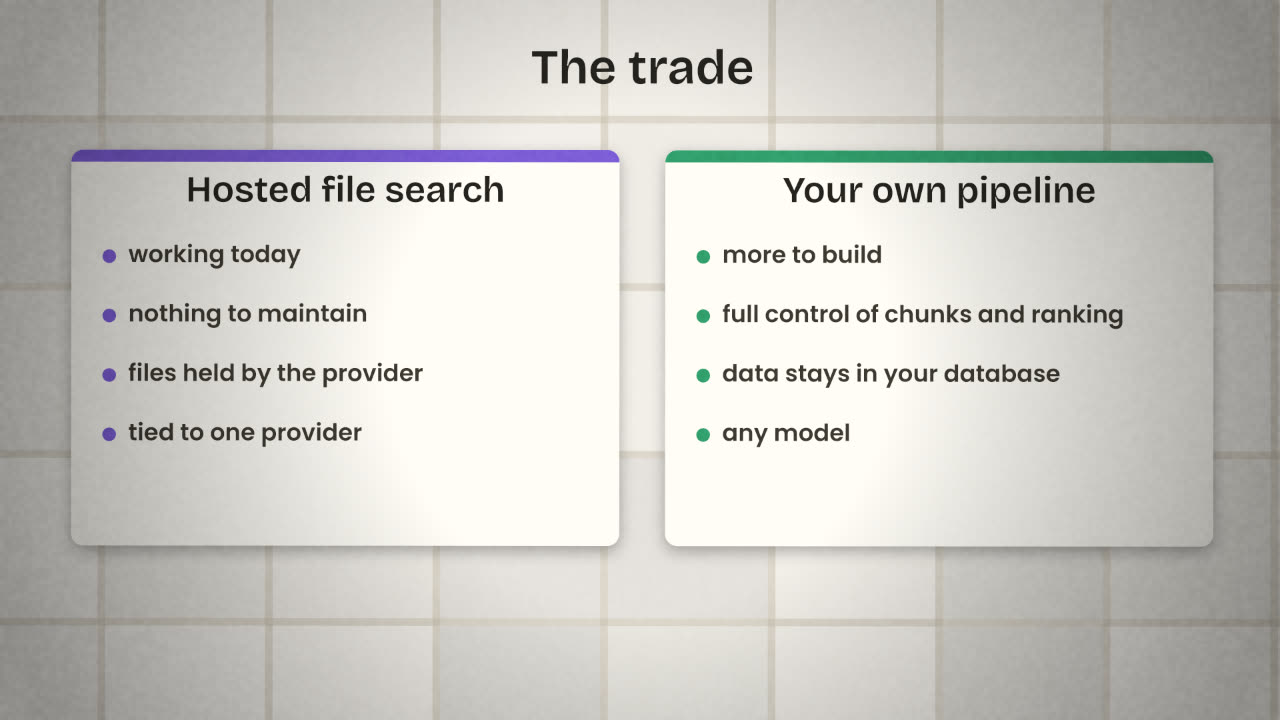
Hosted retrieval is right for most first versions. Its limits are real, though: your files sit with the provider, you cannot see or tune how they are chunked, and the feature ties you to that provider’s models. The next two lessons show the other route, with your own data in your own database.
Your help box works, but answers do not show where they came from. Why does that matter, and what do you add?
Add a help box that answers from your documents
Create a vector store from your cleaned source folder. Add a help feature to your product that sends a question to the model with file search enabled and shows the answer with its sources. Run your ten test questions through it.
Done when
Save the results table. You will compare it with your own pipeline later.
Keep these
- Hosted file search does chunking, embedding and retrieval for you.
- Upload files to a vector store and enable the tool in the model call.
- Show the citations, and keep private data out of shared stores.