Vibe Coder · Unit 17: RAG and Your Data · Lesson 5 of 6
Vectors in Supabase
Build your own retrieval in the database you already have. pgvector stores embeddings in Postgres, a match function finds the closest chunks, and row level security keeps each user’s documents private.
Read the short notes and pictures.Do everything inside a blue frame.
Why build your own
Hosted file search is fast, but your documents live with the model provider and you cannot attach your own access rules to them. If your product lets each customer upload their own files, you need retrieval that knows who owns what. The simplest way to get that is to keep the vectors in the database that already holds your users. Supabase puts it this way: the best vector database is the database you already have.
pgvector
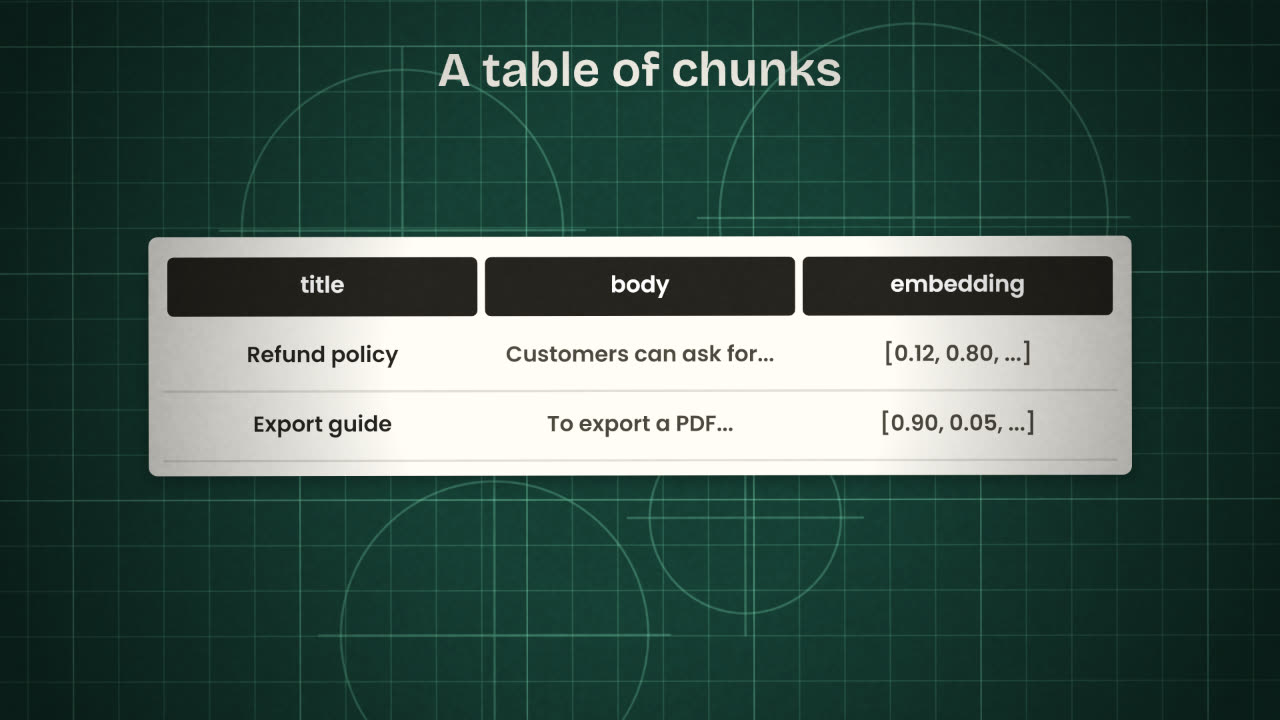
pgvector is an extension for Postgres that adds a vector column type and the operators to compare vectors. In Supabase you enable it once and then create an ordinary table with one extra column.
Enable it and make a table
create extension vector
with schema extensions;

create table documents (
  id serial primary key,
  title text not null,
  body text not null,
  embedding extensions.vector(384)
);
What the parts mean
vector: the extension.

documents: one row per chunk.
body: the chunk’s text.
embedding: its numbers.
384: how many numbers. It must match
the embedding model you use.
Searching
Comparing vectors uses a distance operator. pgvector has three; the usual one for text is cosine distance, written <=>. Supabase’s docs wrap the search in a database function called match_documents, because its API layer cannot use these operators directly, and you call that function from your app.
The match function
create or replace function match_documents (
  query_embedding extensions.vector(384),
  match_threshold float,
  match_count int
)
returns table (id bigint, title text,
               body text, similarity float)
language sql stable
as $$
  select id, title, body,
    1 - (embedding <=> query_embedding)
      as similarity
  from documents
  where 1 - (embedding <=> query_embedding)
        > match_threshold
  order by embedding <=> query_embedding
  limit match_count;
$$;
Calling it
const { data } = await supabase.rpc(
  'match_documents', {
    query_embedding: embedding,
    match_threshold: 0.78,
    match_count: 10,
})<=>
Cosine distance. The usual choice for text embeddings.
<->
Euclidean distance.
<#>
Negative inner product.
Indexes
With many rows, add a vector index so search stays fast.
The low-code route: n8n
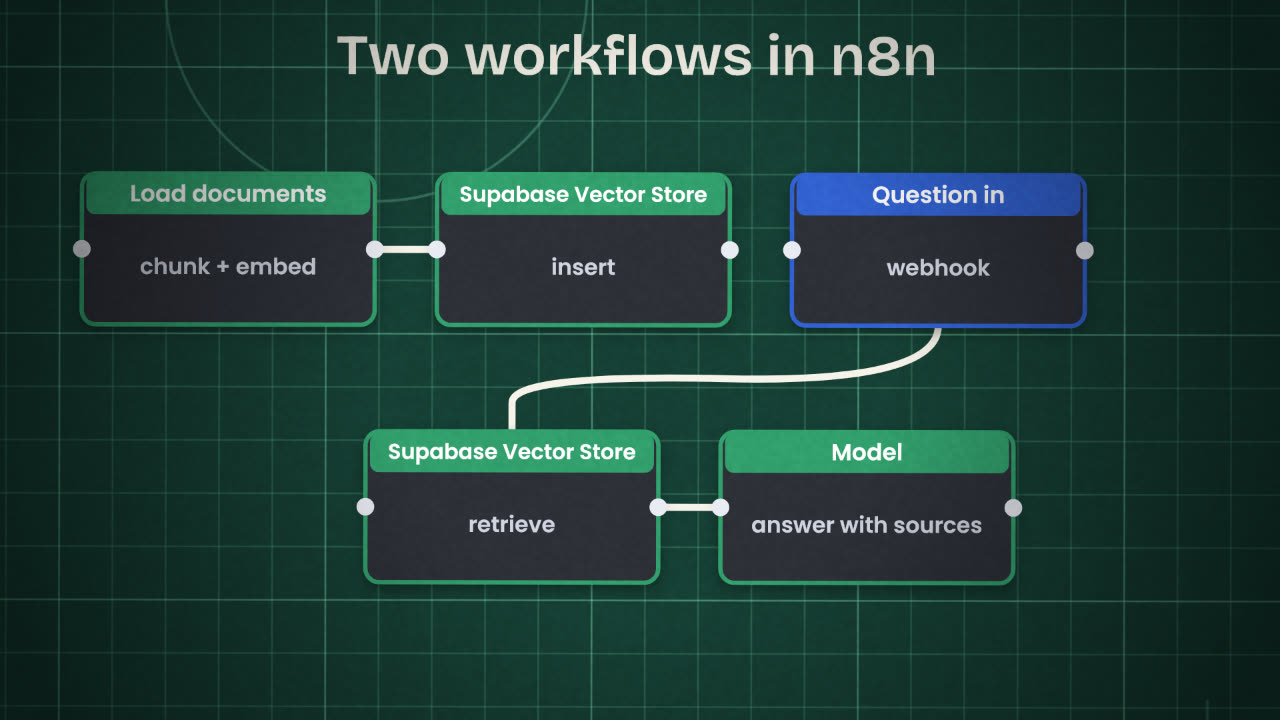
Workflow one: load
A trigger for new files, a step that splits text into chunks, an embeddings node, and the Supabase Vector Store node set to insert.
Workflow two: answer
A Webhook, the Supabase Vector Store node set to retrieve (or attached to an AI Agent as a tool), a chat model, and Respond to Webhook.
Use the same embedding model in both
Chunks and questions must be embedded by the same model, or closeness means nothing.
Keep the source with each chunk
File name or address, in the metadata, so answers can cite it.
Private documents
Add a user_id column to the chunks table and a row level security policy, exactly as you did for your other tables. Now a search can only return chunks the signed-in user owns. Supabase documents this pattern as RAG with permissions. This is the main thing hosted file search cannot give you as simply.
Search returns nothing for every question, although the table is full. Give two likely causes.
Build your own retrieval in Supabase
Enable pgvector, create a chunks table with a user_id and a row level security policy, and build two n8n workflows: one that loads your documents, and one that answers a question with sources. Run your ten test questions and the two-account test.
Done when
Export both workflows as JSON for your repository.
Keep these
- pgvector adds a vector column to the database you already have.
- A match function returns the chunks closest to the question.
- Row level security makes retrieval respect who owns what.