Vibe Coder · Unit 16: AI Agents · Lesson 1 of 9
What an agent is
An agent is a model in a loop with tools: it decides the next step, acts, looks at the result and goes again. When to use one, and when a plain workflow is better.
Read the short notes and pictures.Do everything inside a blue frame.
Steps you write, and steps it chooses
In the n8n unit you drew every step. That is the right design when you know what should happen: a signup always gets a row and an email. Some jobs do not have fixed steps. "Find out why this customer’s invoice failed and fix it" might need one lookup or six, in an order nobody can know in advance. That is a job for an agent.
The loop
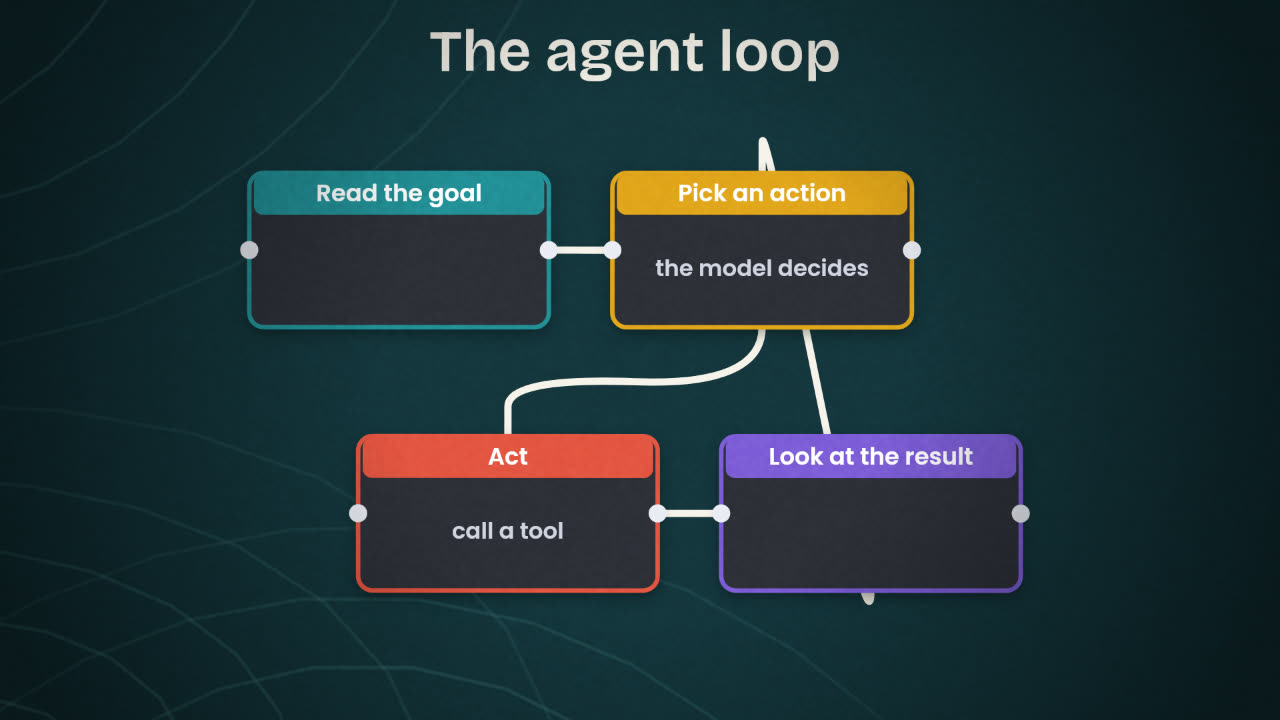
An agent is a language model placed in a loop. On each turn it looks at the goal and everything that has happened so far, and chooses what to do next. Usually that is calling a tool. The tool’s result is added to what it knows, and it chooses again. The loop ends when the model decides the goal is met, or when a limit you set is reached.
Model
The language model that reads and decides. A stronger model plans better and costs more.
Instructions
The system prompt: the job, the rules, what good looks like, and when to stop or ask.
Tools
Functions the model may call. Each has a name, a description and inputs. The description is how the model knows when to use it.
Memory
The conversation and tool results so far, and anything saved between sessions.
Tools make the agent
A model alone can only produce text. Tools are what let it look things up and change things. Choose them with care: every tool is something the agent can get wrong. A support agent might get "look up an order" and "draft a reply", but not "issue a refund".
Workflow or agent
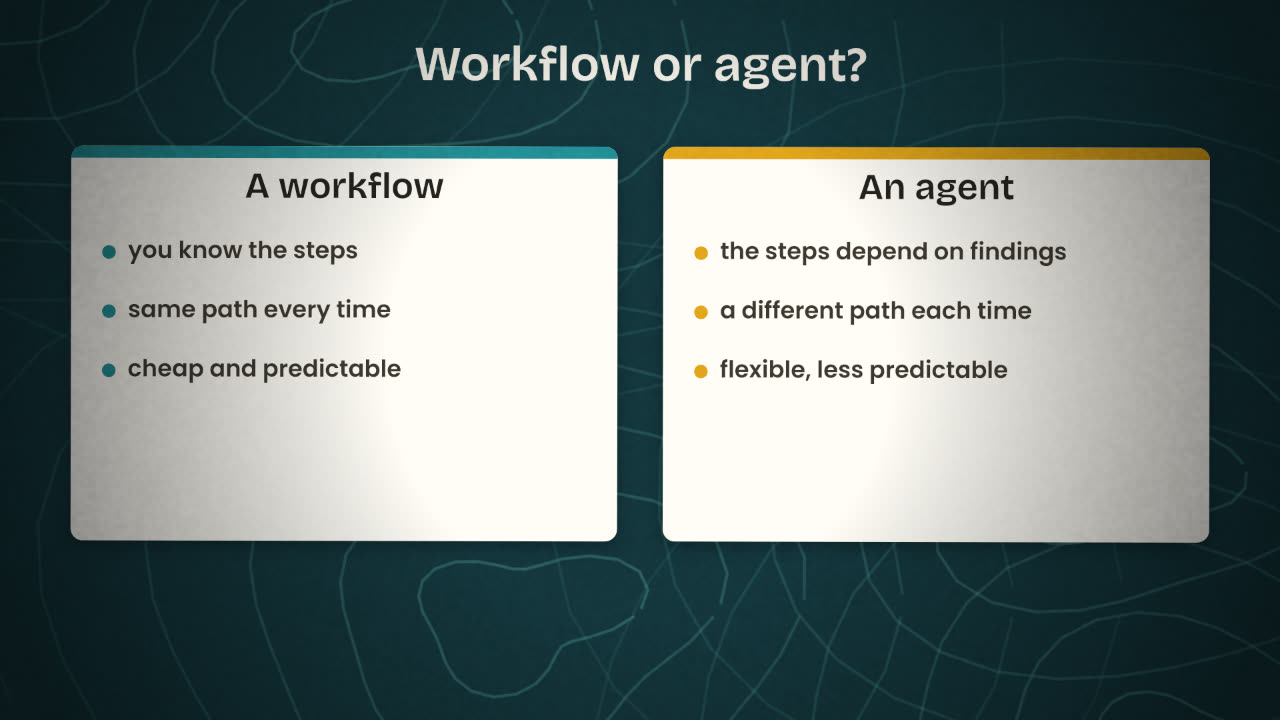
Good for a workflow
Send a welcome email on signup.
Post a daily sales summary.
Copy new form entries to a table.
Good for an agent
Answer a customer question using
the docs and their account.
Research a lead and write a brief.
Triage a bug report and find the cause.
Give it one job
A narrow agent is easier to test and to trust.
Give it the fewest tools
Read-only where you can.
Set limits
A maximum number of steps and a spending cap.
Keep a person in the loop
For anything that sends, spends or deletes.
For your product, write down one job that suits a workflow and one that suits an agent. For the agent, list the tools it would need and mark each as read or write.
Design your agent on paper
Choose one job in your product that needs judgement. Write the agent’s goal in one sentence, its instructions in a short paragraph, the tools it needs with read or write beside each, and its limits.
Done when
You will build this design in the next lesson.
Keep these
- An agent is a model in a loop with tools.
- Use a workflow for known steps and an agent for unknown ones.
- Keep the job narrow, the tools few and the limits clear.