Vibe Coder · Unit 16: AI Agents · Lesson 5 of 9
Choosing an agent builder
Agent tools appear and disappear. OpenAI is shutting down its visual Agent Builder. How to choose a builder, and how to keep your agent portable when one goes away.
Read the short notes and pictures.Do everything inside a blue frame.
A builder you cannot count on
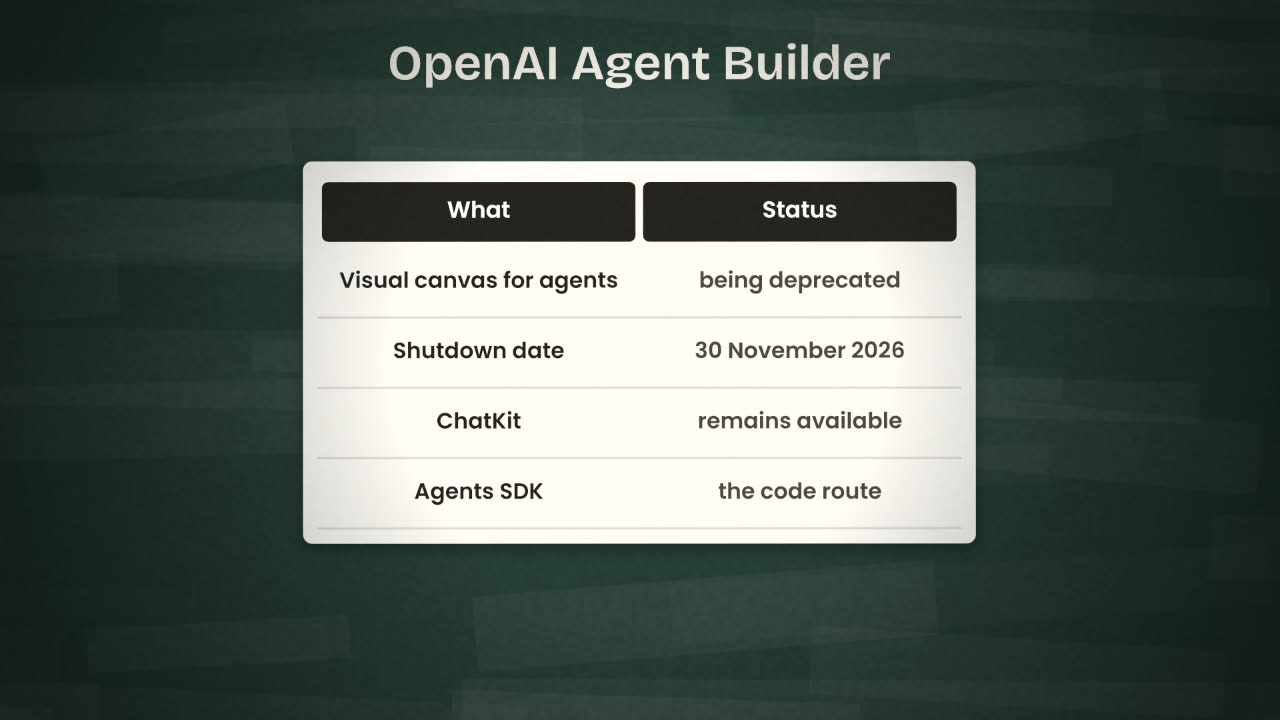
In 2025 OpenAI released Agent Builder, a visual canvas for multi-step agents: you dragged nodes such as Agent, File search, Guardrails, MCP, If/else and Human approval onto a canvas, previewed runs and published a version. OpenAI’s documentation now states that Agent Builder is being deprecated and is scheduled to shut down on 30 November 2026. ChatKit, the chat interface that went with it, remains available, and the code route is the Agents SDK.
What you own
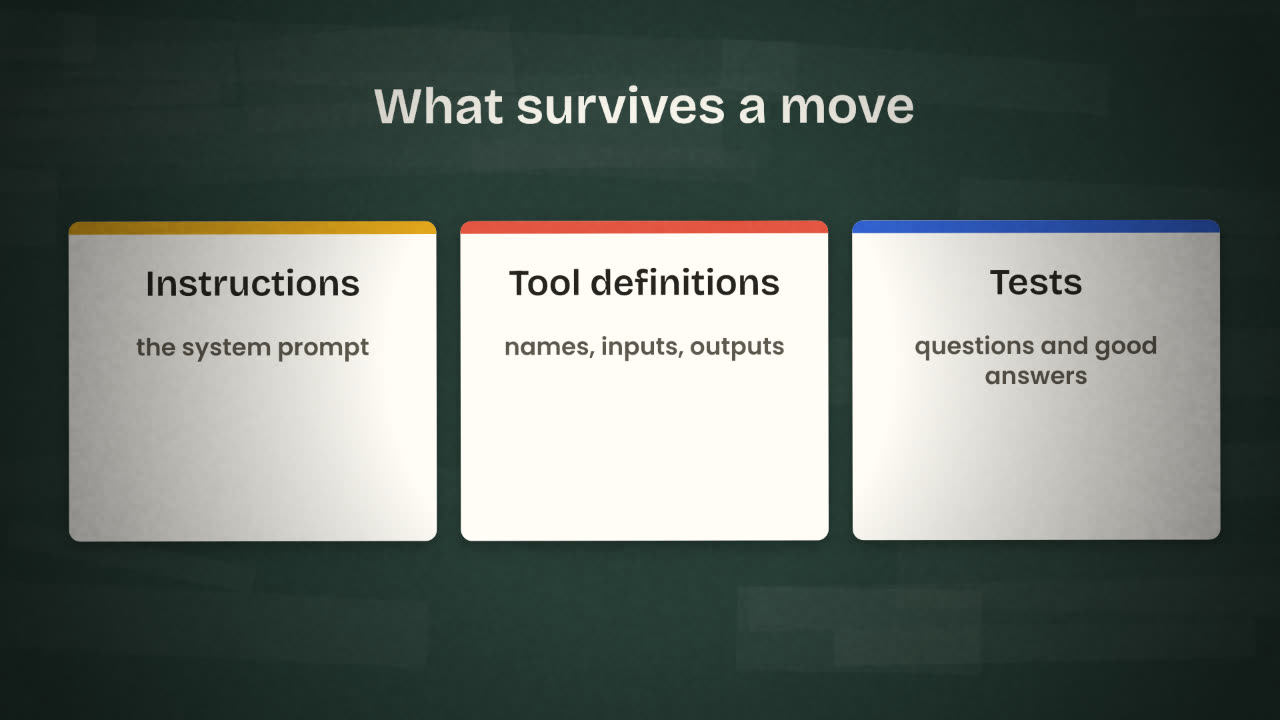
When a builder goes away, the canvas goes with it. What you keep is whatever you stored outside it. Three things define an agent, and all three can live in plain files.
Instructions
The system prompt, saved as a text file and changed through commits.
Tool definitions
For each tool: its name, description, inputs and what it returns.
Tests
A list of real questions with what a good answer contains. This is how you know a rebuild works.
Locked in
The prompt lives only in a node.
Tools are clicks on a canvas.
No test set.
Moving means starting again.
Portable
agent/instructions.md
agent/tools.json
agent/tests.md
Moving means rebuilding from files.
Choosing
Can I export?
A workflow file, a flow file, or code. If nothing leaves the tool, be careful.
Can I change the model?
Prices and quality shift every few months. You want to be able to switch.
Where does it run and who pays?
Hosted for you, or on your own server. Per task, per seat or per token.
Is it maintained and used?
Recent releases, real documentation, a community. Check the docs for a deprecation notice.
n8n
When the agent is one step in a workflow with triggers and integrations.
Langflow
When the app is mostly the model, with retrieval and tools, and you can host it.
Google AI Studio
When you want a small Gemini app live quickly.
An agent SDK
When an engineer needs full control, tests and version history in code.
A new agent builder launches next month and looks excellent. Write the three checks you would make before moving your product’s agent to it.
Make your agent portable
In your product’s repository, create an agent/ folder with three files: the instructions, the tool definitions and your test questions with what a good answer contains. Add the exported n8n workflow and Langflow flow beside them, then commit and push.
Done when
From now on, change the instructions in the file first and then in the tool, not the other way round.
Keep these
- OpenAI’s Agent Builder shuts down on 30 November 2026.
- Instructions, tool definitions and tests are what you own.
- Choose builders you can export from and switch models in.