Vibe Coder · Unit 16: AI Agents · Lesson 7 of 9
The Claude Agent SDK
Engineers: the Claude Agent SDK gives your code the same agent loop and built-in tools as Claude Code. Build an agent that reads and edits files, with permissions you control.
Read the short notes and pictures.Do everything inside a blue frame.
The same engine, programmable
Anthropic describes the Agent SDK as a way to build production agents with Claude Code as a library. It gives your Python or TypeScript program the agent loop, the context management and the built-in tools that power Claude Code. You met its headless cousin in the Claude Code unit. Here you build with it.
Agent SDK
A library that runs Claude Code’s agent inside a process you operate, with built-in tools, permissions, sessions and hooks.
Client SDK
Direct access to the Claude API. You write the tool loop yourself. This is what the APIs unit used.
Managed Agents
Anthropic hosts the agent for you, configured through the API.
Claude Code CLI
The terminal tool for your own daily work.
A first agent
Setup
pip install claude-agent-sdk

export ANTHROPIC_API_KEY=your-api-key

python agent.py
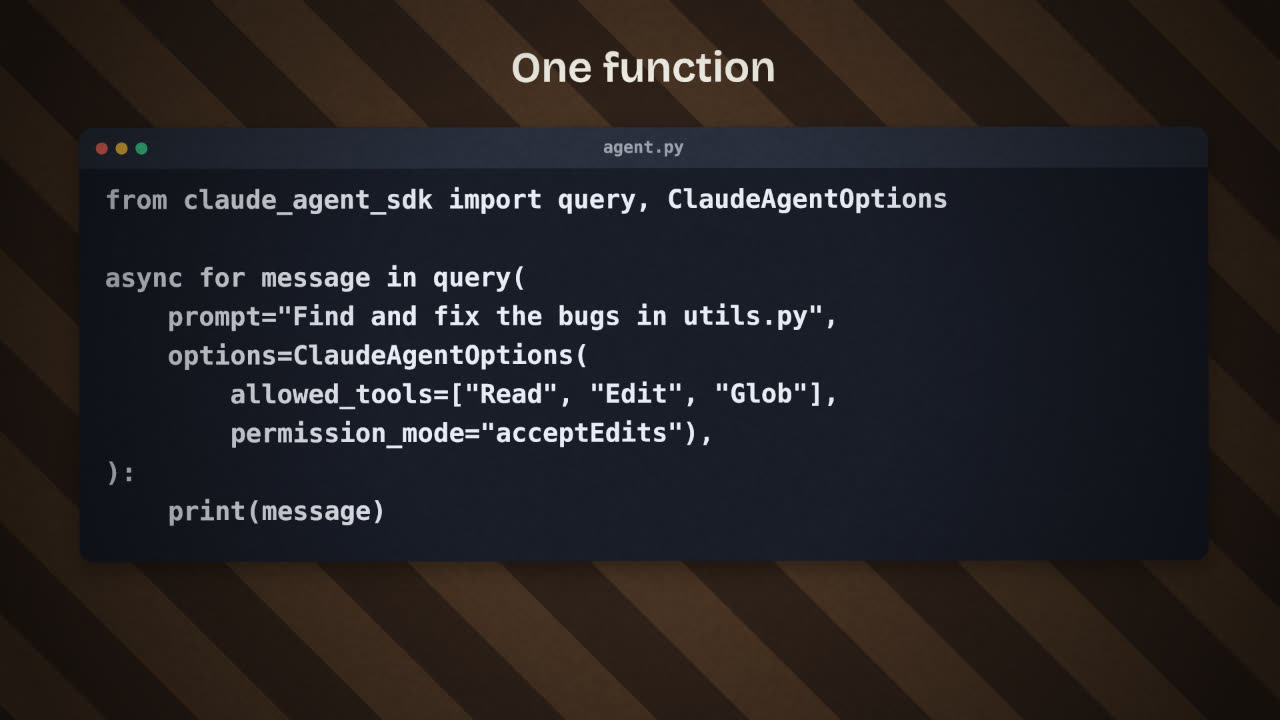
agent.py
import asyncio
from claude_agent_sdk import query, ClaudeAgentOptions

async def main():
    async for message in query(
        prompt="Review utils.py for bugs that would "
               "cause crashes. Fix any issues you find.",
        options=ClaudeAgentOptions(
            allowed_tools=["Read", "Edit", "Glob"],
            permission_mode="acceptEdits",
        ),
    ):
        print(message)

asyncio.run(main())Notice what you did not write: no function for reading a file, no loop that feeds tool results back. Claude executes the built-in tools directly. That is the main difference from the client SDK.
Permissions are the design
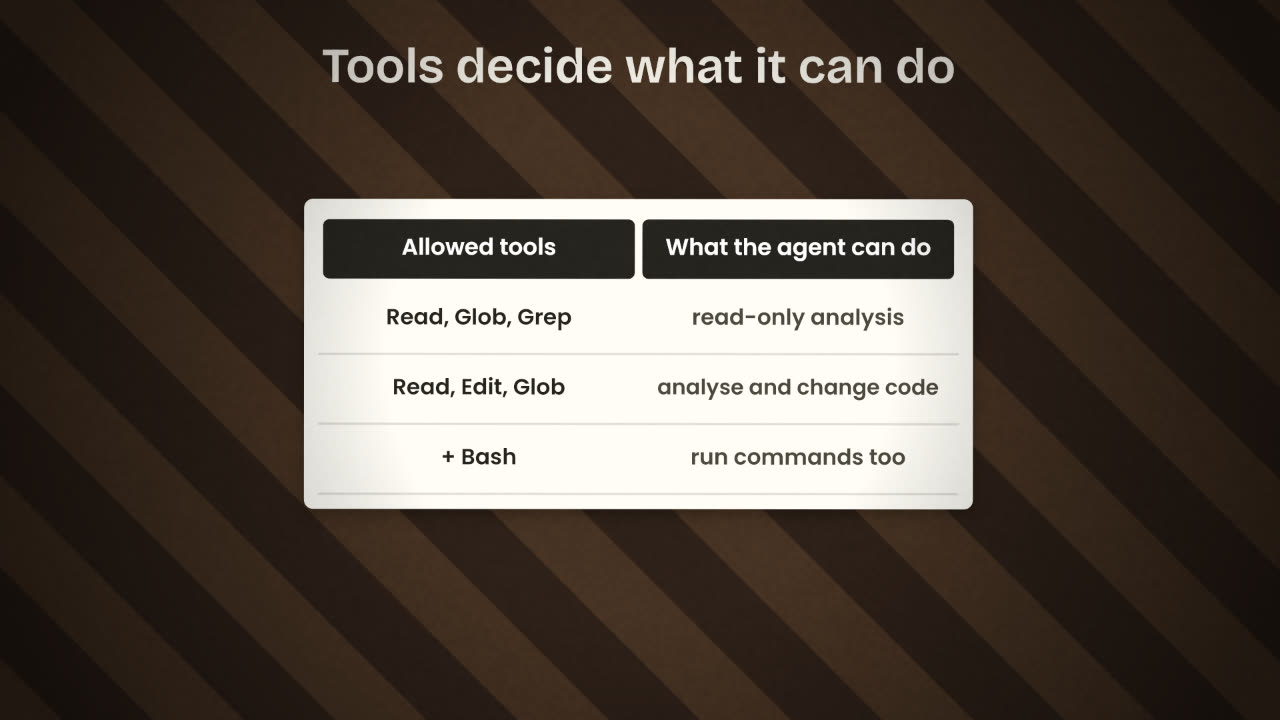
Start read-only
Read, Glob and Grep. The agent can analyse but change nothing.
Add Edit when you trust it
With a permission mode that fits: auto-accept edits in a sandbox, ask first anywhere that matters.
Add Bash last
Running commands is the most powerful tool. Give it only in a contained environment.
Run it in a contained folder
By default the agent can reach the directory it runs in and below. Choose that directory on purpose.
What else it brings
Hooks
Run your own code before or after a tool call, to block, log or check.
Subagents
Spawn a focused agent for a side task and get back only the result.
MCP
Connect databases, browsers and APIs as tools.
Sessions
Keep context across exchanges, and resume or fork later.
Skills and memory
Loaded from your project’s .claude/ folder, the same as in Claude Code.
You want an agent that reviews every pull request for security problems but must never change code. Which tools do you allow, and why not more?
Build a working agent with the Claude Agent SDK
Write an agent that does one real job in your product’s repository, such as writing a changelog from recent commits or auditing for leaked secrets. Start read-only, then widen permissions only if the job needs it.
Done when
Note in your README which tools the agent is allowed and why.
Keep these
- The Agent SDK is Claude Code’s engine as a library.
- query() with a prompt and options; Claude runs the tools.
- Allowed tools and permission mode are the safety design.